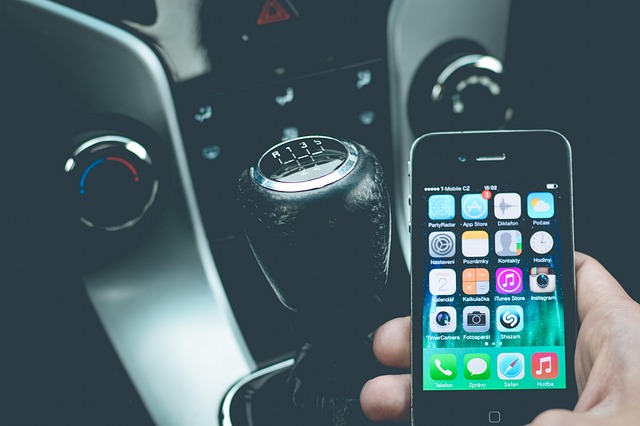
Apple’s digital car key feature — introduced with iOS 14 back in 2020 — has quietly matured into one of the most useful additions to the iPhone’s Wallet app. If you’ve been wondering whether your car or phone supports it, or how to actually set it up, here’s everything you need to know.
What Is Apple’s CarKey Feature?
Apple added support for digital car keys in the Wallet app with iOS 14. Through the CarKey API, car manufacturers can add a digital key to your iPhone that lets you lock, unlock, and even start your vehicle with a simple tap. The feature works via your iPhone’s NFC chip — the same technology behind Apple Pay — and on newer iPhones with a U1 ultra-wideband chip, it can passively unlock your car as you approach.
With Express Mode enabled, you don’t even need to wake or unlock your phone. Just tap your iPhone to the door handle or keep it in your pocket as you walk up.
Which iPhones Work?
You’ll need at least an iPhone XS or later, or a second-generation iPhone SE or newer, running iOS 13 or later. For passive entry (the hands-free unlock feature), you’ll need an iPhone with the U1 chip — that includes the iPhone 11 series and later.
Which Cars Support Digital Keys?
The list of compatible automakers has grown significantly since the feature’s BMW-exclusive launch. Apple’s CarPlay availability page now lists these brands as supporting digital keys:
- Audi, BMW, BYD, EXEED, Genesis, Hyundai, Kia
- Lotus, Mercedes-Benz, Mini, Nio, Polestar
- Ram, Rivian, and Volvo
Models like the Hyundai Ioniq 5 and 6, Rivian R1T and R1S, and many BMW vehicles support the feature. Always check with your manufacturer to confirm compatibility.
How to Add Your Car Key to Your iPhone
Setup varies by automaker, but the general process follows these steps:
- Initiate setup — you may receive an email, text, or in-app prompt from your car manufacturer, or you can start from the car maker’s own app.
- Follow the prompts to Wallet — the setup flow eventually sends you to the Wallet app, where tapping “Continue” begins pairing your iPhone with your car.
- Sync with your vehicle — you may need to tap your iPhone to the car’s key reader during setup. Some cars also require you to be inside or near the vehicle.
Once paired, Express Mode is automatically enabled, so your car will unlock without you needing to pull out your phone. You can also share digital keys with family or friends directly from the Wallet app.
What If You Lose Your iPhone or the Battery Dies?
If your iPhone is lost or stolen, marking it as lost in the Find My app will automatically disable all stored digital keys. Interestingly, keys you’ve already shared with others will remain usable.
Apple also says that cards and keys with Express Mode enabled will remain accessible for up to five hours after your iPhone’s battery dies — a handy fallback if you’re rushing to your car on low battery.
Still, as convenient as digital keys are, keeping a physical backup key is always a smart idea.
The Bottom Line
Apple’s CarKey feature has evolved from a niche BMW-only perk into a broadly supported convenience that works across dozens of models from major automakers. If you have a compatible iPhone and car, setting it up takes just a few minutes — and once it’s done, you may find yourself leaving your physical keys at home more often than you’d expect.