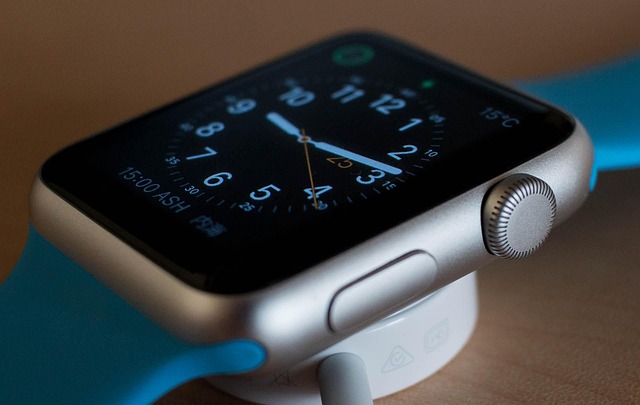
The Apple Watch has long been a favorite among swimmers, runners, and outdoor enthusiasts — but one of its most underrated features is Water Lock. Designed to protect the device during water exposure and expel liquid afterward, the feature plays a critical role in keeping your smartwatch functional and damage-free.

Apple Watch Water Lock uses acoustic pulses to eject water from the speaker grille after submersion. (Image: charlie0111 / Pixabay)
What Is Apple Watch Water Lock?
Water Lock is a built-in safety feature available on every Apple Watch model from the Series 2 onward, including the Apple Watch Ultra, Ultra 2, and Ultra 3. When activated, it does two things: it disables the touchscreen so water pressure doesn’t trigger accidental inputs, and it uses sound vibrations to physically eject water from the device’s speaker ports after exposure.
As Engadget recently detailed, the feature is particularly valuable because even water-resistant smartwatches can suffer long-term damage from moisture trapped inside — especially in chlorinated pools or saltwater environments.
How to Use Water Lock
Activating Water Lock is straightforward. Swipe up to open Control Center on your Apple Watch, then tap the water droplet icon (you may need to scroll to find it). The screen will lock immediately, preventing any accidental touches while underwater.
The feature activates automatically when you start a water-based workout like swimming or surfing. After you’re done, simply press and hold the Digital Crown. The watch will emit a series of rising tones — often compared to an ’80s video game sound effect — as it uses speaker vibrations to push water out through the tiny speaker grilles.
What Happens Inside the Watch?
The ejection process is surprisingly intricate. When you press and hold the Crown, the watch’s speaker generates low-frequency tones that create enough vibration to physically displace water molecules from the speaker mesh. Water streams out of the tiny side speaker holes — often more than you’d expect, given how fast the process happens. The watch repeats this cycle several times to ensure thorough expulsion.
This is why you need to hold the Crown for a few seconds rather than tapping it quickly — the watch needs multiple cycles to fully clear the speaker cavity.
Why You Should Use It
While your Apple Watch is rated for swimming (standard models are WR50 water-resistant to 50 meters, while the Ultra series reaches WR100), water resistance degrades over time. Seals wear down, especially with exposure to chlorine, soap, and saltwater. Using Water Lock after every water encounter — whether swimming, showering, washing dishes, or getting caught in the rain — helps remove residual moisture and can extend the life of your device.
The feature is particularly critical for Apple Watch Ultra users who may dive deeper. The Ultra, Ultra 2, and Ultra 3 are rated for recreational scuba diving to 40 meters, and Water Lock works at depth to protect the screen and speakers.
Bottom Line
As wearables become increasingly water-resistant, features like Water Lock bridge the gap between surviving exposure and thriving in aquatic environments. It’s a small but thoughtful piece of engineering that demonstrates Apple’s attention to real-world usability — and one that every smartwatch maker should consider adopting.
This article was informed by reporting from Christine Persaud at Engadget.