You get in the car, turn the ignition, and your phone connects to the dashboard automatically. Wireless Android Auto launches on the infotainment screen — no cables, no fumbling. It feels like magic, but behind the scenes, your phone is actually maintaining two separate wireless connections at the same time: Bluetooth and Wi-Fi.
Why both? The short answer is that neither technology can do the job alone. Here’s how they work together to deliver the wireless Android Auto experience.

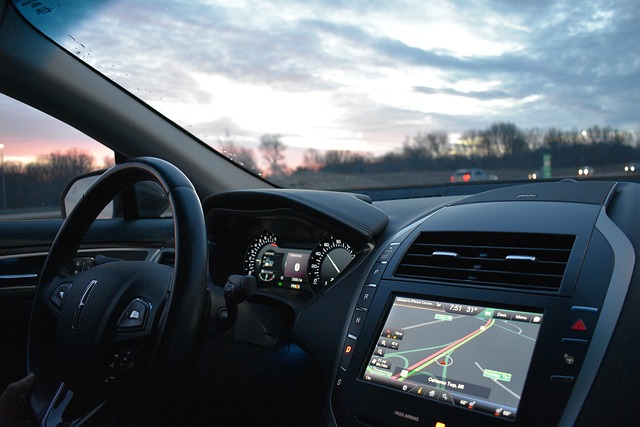
Wireless Android Auto relies on a dual-connection approach using both Bluetooth and Wi-Fi. (Image: Pixabay)
Bluetooth: The Handshake and the Calls
Bluetooth handles two specific jobs in the wireless Android Auto setup. The first is the initial handshake between your phone and your car’s infotainment system. Bluetooth is energy-efficient and low-power, so your phone can scan for the car in the background, pair automatically, and exchange the credentials needed to kick off a Wi-Fi connection. The only thing you have to do is turn on your car.
Bluetooth’s second job is hands-free calling. Android Auto routes phone call audio through your car’s speakers using the Hands-Free Protocol (HFP). If you were to disable Bluetooth mid-drive, the entire connection would drop. For these two reasons, wireless Android Auto simply cannot function without Bluetooth.
Wi-Fi Direct: The Heavy Lifter
Bluetooth tops out at around 2–3 Mbps of data throughput — enough for audio, but nowhere near sufficient for streaming a high-resolution map interface, on-screen touch inputs, and high-quality audio from your music services. That’s where Wi-Fi comes in.
Once the Bluetooth handshake is complete, your phone connects to a local, peer-to-peer 5GHz Wi-Fi Direct network with the car’s system. This is where the heavy lifting happens. Wi-Fi Direct provides the bandwidth needed to handle everything from the user interface to streaming audio, GPS data, touch inputs, voice commands, and ambient light sensor data.
Google’s Android Auto developer documentation makes clear that the 5GHz Wi-Fi requirement is strict — standard Bluetooth simply lacks the bandwidth for continuous video projection. That’s also why older phone models without 5GHz Wi-Fi support cannot run wireless Android Auto.
Bridging the Gap with Dongles
Many vehicles on the road today only support wired Android Auto. That’s where aftermarket dongles like the Carlinkit, AAWireless, and Motorola MA1 come in. These small adapters plug into your car’s USB port and mimic a wired smartphone connection.
The dongle pairs with your phone over Bluetooth, establishes a data connection, and then your phone drops the Bluetooth data link in favor of a 5GHz Wi-Fi Direct connection to the dongle. The dongle translates that Wi-Fi stream into a USB signal that your car recognizes as a standard wired connection. It’s an affordable fix that doesn’t require replacing your car’s head unit.
The Trade-Offs
Wireless Android Auto is convenient, but it comes with some downsides. Both Bluetooth and Wi-Fi must remain active — turning off either one breaks the connection. Maintaining an active 5GHz Wi-Fi connection alongside GPS and Bluetooth can noticeably drain your phone’s battery. Dongles can also introduce a slight connection delay compared to a wired setup.
Additionally, you’ll need a phone with 5GHz Wi-Fi capabilities running Android 11 or newer to use wireless Android Auto at all.
The Bottom Line
Wireless Android Auto works as smoothly as it does because Bluetooth and Wi-Fi each handle the task they’re best suited for — Bluetooth for the low-power handshake and calls, Wi-Fi Direct for the high-bandwidth data stream. It may sound complicated behind the scenes, but the result is a seamless, cable-free driving experience that’s worth the engineering effort.